
Laser pen battery care: make your batteries last longer
How to charge, store and replace the batteries in your laser pen or rechargeable laser, and how to tell when a battery is past its best.
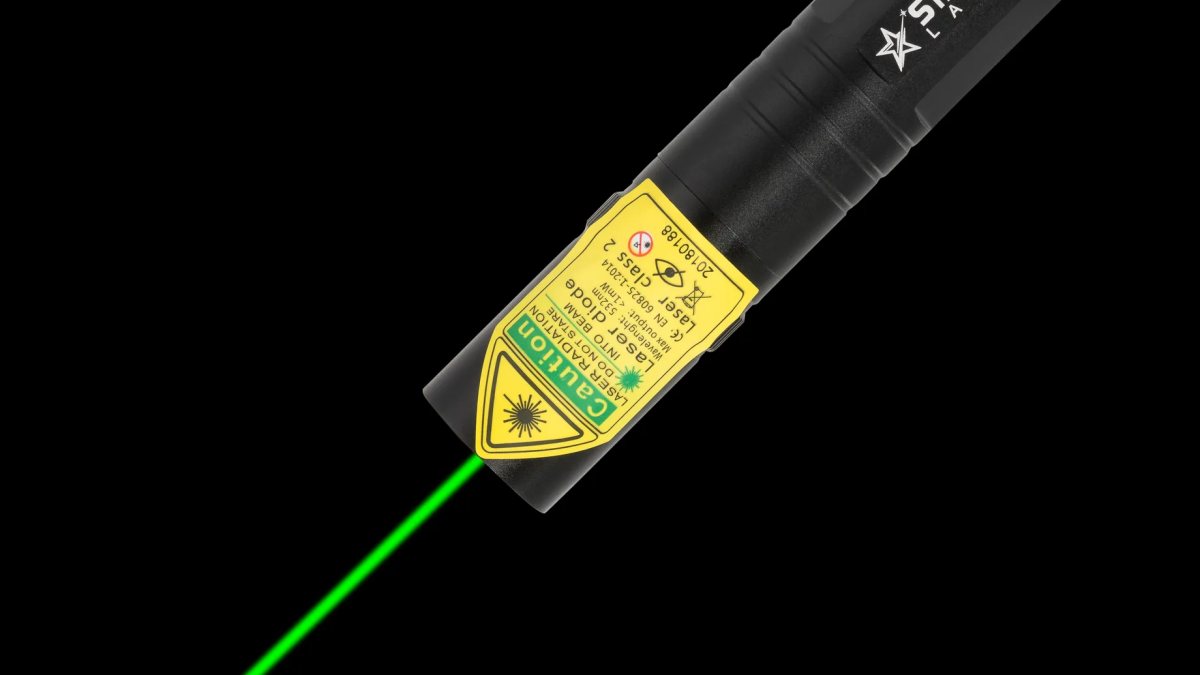
A laser is only as good as its battery. A dim, flickering dot during playtime or in the middle of a presentation is usually a battery problem, not a laser problem. The good news is that a few simple habits keep your batteries in great shape. This guide covers AAA pens and our rechargeable lasers, with practical tips for charging, storing and recycling.
Which battery does your laser use?
| Laser | Battery | Charger |
|---|---|---|
| X1, X2, M1, Z1 | 2x AAA (included) | Not needed |
| G3 Pro, G1 Pro, R1 Pro, V1 Pro | 18650 rechargeable | PowerFox, in the box |
| G2 Pro, R2 Pro, V2 Pro | 16340 rechargeable | PowerFox, in the box |
With normal use, a set of AAA batteries or a full charge lasts at least about a month. How long exactly depends on how often and how long you press the button.
Caring for AAA laser pens
- Replace both batteries together. Mixing an old and a new battery shortens the life of both.
- Use the same type. Do not mix brands or rechargeable and disposable cells.
- Take them out for long breaks. If the pen will sit in a drawer for months, remove the batteries to prevent leaks.
- Check the contacts. If the dot flickers, open the pen and make sure the batteries sit firmly.
- Rechargeable AAAs work too, if you already have a charger for them.
Charging 18650 and 16340 batteries
Our rechargeable lasers do not have a charging socket. Instead, you take the battery out and put it in the PowerFox charger that comes in the box. It charges one battery at a time and works for both sizes. Here is the routine:
- Unscrew the laser and slide out the battery.
- Place it in the charger with plus matching plus.
- Plug the charger in on a hard, non-flammable surface such as a table or kitchen worktop.
- Stay nearby while it charges, and unplug it once charging is complete.
- Slide the battery back into the laser, plus end first as marked, and close it up.
Good to know if you live in Ireland: the charger has a European two-pin plug, so you will need a simple travel adapter for an Irish socket.
Do's and don'ts for rechargeable batteries
| Do | Don't |
|---|---|
| Charge on a table or worktop | Charge on a bed, sofa or carpet |
| Keep spares in a small case | Carry loose batteries with keys or coins |
| Store in a cool, dry place | Leave in a hot car or on a sunny windowsill |
| Recycle damaged batteries | Use a battery with a dent, tear or bulge |
| Charge before a long break | Store completely flat for months |
Signs a battery is getting tired
Rechargeable batteries do not last forever. After a long time of regular use, you may notice the charge running out much sooner than before, the dot dimming quickly, or the battery getting warmer than usual in the charger. That is the time to replace it. Spares are easy to add: spare 18650 batteries for the bigger lasers and spare 16340 batteries for the minis, each in a two-pack.
Cold weather
All batteries give less power in the cold. If you are stargazing in the garden on a frosty night or taking your laser on a winter walk, keep it in an inside pocket between uses. A spare battery kept warm in your pocket can be swapped in when the dot fades, and it will be back to full brightness.
Storing your laser
When you are not using your laser, store it somewhere dry and out of children's reach. For lasers with a safety key, take the key out and keep it in a separate place. For long breaks, remove AAA batteries from pens, and leave rechargeable batteries partly charged rather than completely full or completely empty.
Recycling old batteries
Old batteries should never go in the household bin. Many shops that sell batteries have a collection box near the entrance, and local recycling centres accept them too. Tape over the ends of lithium-ion batteries before dropping them off, so they cannot touch each other.
Travelling with your laser
Taking your laser on holiday or to a conference? Keep rechargeable batteries in the laser or in a protective case in your hand luggage, never loose in a bag. Pack the charger, plus a plug adapter if your destination needs one, and check your airline's rules on lithium-ion batteries before you fly.
A second charger?
If you keep one laser at home and one at work, or you use a few spare batteries, an extra PowerFox charger is handy. It takes both 18650 and 16340 batteries, one at a time.
Quick troubleshooting
- No dot at all: check the battery direction and, on bigger rechargeable lasers, that the safety key is inserted.
- Dim dot: charge or replace the battery.
- Flickering: make sure the cap is screwed on firmly and the battery contacts are clean.
- Still a problem? E-mail [email protected] and we will help.
Pen or rechargeable: which is easier?
For a few minutes of play or a monthly presentation, AAA pens are wonderfully simple. If your laser comes out every day, a rechargeable laser pen saves on batteries and is easier on the environment. Either way, a little care goes a long way.
Summary
Replace AAA batteries in pairs, charge lithium-ion batteries on a hard surface with the PowerFox charger, keep spares in a case, avoid heat and recycle anything damaged. Follow those habits and your laser will be ready every time you reach for it. Find spares and the charger on laser pen batteries and charger, and read laser pointer safety for general laser safety.
More articles
Blog
Laser pointer and cats: is it safe, and how do you play without frustration?
Cats adore chasing a laser dot, but there is a right and a wrong way to play. Our guide to safe, satisfying la…
Presentation laser pointer tips: 10 ways to look calm and in control
From holding the laser steady to recovering when it fails mid-talk: ten practical tips for using a presentatio…
Laser pointer gift guide: the right laser for every person on your list
Stuck for a present? Our gift guide matches the right laser to the cat lover, the teacher, the stargazer, the…